QR Scanner & Barcode Scanner
- 4.3
- Rating
- 1.00M
- Installs
- Free
- Price

 Analysis by App-foxy
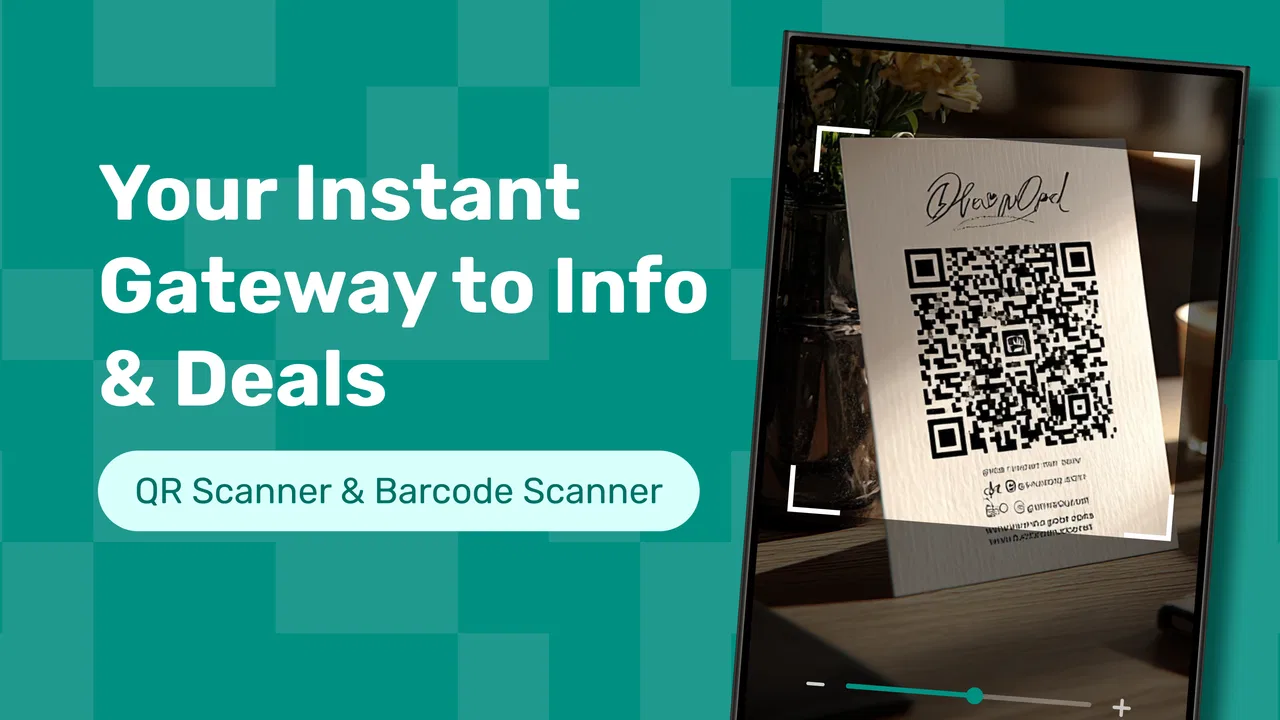
I used to treat QR codes as tiny interruptions: point the camera at one, wait for the phone to recognize it, then decide what to do with the result. That sounds harmless, but the small delays add up when I am checking a product, opening a menu, joining a network, or saving a code for later. QR Scanner & Barcode Scanner, developed by Welltastic Application, is built around making that moment more direct. It is a free productivity app for scanning, generating, and managing QR codes and barcodes, with a simple focus on getting from printed code to useful result quickly.
My first impression was that this is not trying to replace a full note-taking system or become a complicated inventory platform. Its value is more practical: it gives code-related tasks their own place instead of leaving everything to whichever camera, browser, or shopping app happens to recognize the pattern first. That makes it especially useful for people who regularly move between physical items and digital information.
The app has reached over a million installs and holds a 4.3 average from around 2.6 thousand ratings, which fits my experience of it as a straightforward tool rather than an experimental utility. It is free, rated for Everyone, and the current release is version 1.6.10. It runs on Android 7.0 or newer, so its reach includes many phones that are no longer considered new.
You May Also Like

 Blood Strike: 2.5 Anniversary
Blood Strike’s Loadouts Turn Every Drop Into a Tactical Gamble
A close look at Blood Strike’s custom loadouts: how fast access to signature weapons reshapes its battle royale rhythm, rewards preparation, and narrows the gap between fights.

 Pandora - Music & Podcasts
Pandora’s Music Is Easy to Start, but Harder to Recover
Pandora’s strength is its low-effort path from a seed to a station. Its weak spot is how much confidence it asks you to place in connection, setup, and quiet recovery.

 8 Ball Pool
 Is Built on Rivalries, Rematches, and Routine
A close look at the rivalries, rematches, shared routines, and unanswered safety questions that turn a quick pool match into a persistent mobile community.

 Samsung Music
’s Quiet Strength Is Playing What You Already Own
Its reach comes less from spectacle than from dependable access to a personal library. That simplicity is both the app’s strongest retention engine and its ceiling.

 AccuWeather: Weather Radar
AccuWeather Review: A Quick, Clear Forecast for Everyday Decisions
For everyday plans, the best forecast is the one you can understand quickly. AccuWeather makes rain timing, radar, and local conditions easy to act on, with a few trade-offs.

 Hill Climb Racing
Why Hill Climb Racing Still Turns Crashes Into One More Run
A tiny car, a bumpy hill and one more upgrade: Hill Climb Racing keeps resurfacing because its simple chaos makes every near-miss feel personal.
More From Our News Desk



Turning QR moments into a repeatable workflow
I use this section to focus on the small decisions that turn an occasional scan into a dependable habit: what I act on immediately, what I keep, and what I let go. That distinction matters because a scanner is most useful when it reduces the hunt for information rather than creating another place to search. From there, I’ll look at the everyday situation where this workflow earns its keep.
Before installing, the real problem is usually scattered attention
A QR code is rarely the actual task. The code is only the doorway to something else: a restaurant menu, a parcel label, a product page, an event check-in screen, a contact detail, or a payment-related destination. The messy part is what happens around it. I may open the camera, wait for a notification, switch to a browser, copy a result, and then forget where I put it. If the code is on another phone, a laptop, or a printed document, the default camera can also feel awkward because it is designed primarily for taking pictures, not for managing code-based information.
This app makes more sense when I use it as a dedicated entry point. Instead of asking whether my camera app will recognize a particular format, I open the scanner with a clear purpose. That small change matters because it reduces decisions. I know where to go when I need to inspect a barcode, read a QR code, or create one for another person to scan.
For a normal everyday situation, imagine receiving a paper instruction sheet with a QR code for a setup page. I can scan it, follow the destination, and then return to the app for the next code instead of mixing the task with unrelated photographs. In a shop, I can use the barcode side of the app to identify a packaged item, then decide whether I need to keep the result or simply move on. The usefulness comes from this separation between scanning and the rest of the phone.
That does not mean a dedicated scanner is automatically better than every built-in camera. If I only scan a code once every few months, the camera already on the phone may be enough. QR Scanner & Barcode Scanner earns its place when scanning is a recurring behavior and I want a predictable workflow rather than a feature hidden inside another app.
Scanning is most useful when I decide what the result means
The important habit is not merely pointing the phone at a code. It is pausing for a moment after the result appears. A QR code can lead to a web page, text, contact information, or another kind of digital content. I prefer to treat the scan as a preview step, not as an instruction to open everything immediately. That is a sensible routine for unfamiliar posters, packaging, and public notices.
In practice, I use the scanner in two passes. First, I capture the code and inspect the result. Second, I choose whether it belongs in my current task, should be saved for later, or has no further value. This prevents a common productivity mistake: collecting every result without deciding what to do with it. The app is helpful here because it places the scanning action at the center, while my own decision determines whether the information becomes useful.
For barcodes, the context is different. A product barcode is usually less about opening a personal link and more about identifying something in front of me. That can help when I am comparing items, checking packaging, or organizing products at home. I would not treat the scanner as a replacement for a retailer’s own stock or price system, because the barcode alone does not guarantee that every service will provide the same product information. The app can capture the code efficiently, but the quality of the next step depends on where I use the result.
Organization begins with small decisions, not a giant collection
The management side matters most when I scan codes repeatedly. A single scan is easy to handle; a month of scans can become a confusing trail of links and text unless I create a simple rule. My rule is to keep only results that have a future use. A temporary menu, a one-time event screen, or a code I can easily find again does not need to remain part of my working collection. A warranty page, equipment label, recurring sign-in destination, or reference code may deserve a place I can return to.
This is one of the less obvious strengths of using a dedicated app: it encourages me to separate capture from memory. I do not have to rely on a screenshot buried among travel photos or on browser history that I may later clear. When I scan something worth revisiting, I can treat it as an item in a code-focused workflow. The practical tip is to clean that collection regularly. Keeping everything feels organized at first, but it eventually recreates the same clutter the app was meant to reduce.
Generated codes can fit into the same system. I might create a QR code to share information without asking someone to type a long address or manually copy text. The best use is information that is stable enough to share and simple enough for the other person to scan. I would avoid generating a code for a detail that changes every few minutes, because the code then becomes a stale shortcut. The app helps with the creation step, but I still need to decide whether a QR code is genuinely easier than sending a normal message.
There is also a useful distinction between a code that I own and a code that I merely discovered. A generated code represents something I choose to distribute. A scanned code belongs to someone else or to an external service. Keeping that distinction in mind prevents me from assuming that every scanned result is safe, permanent, or under my control. It is a small organizational habit, but it makes the app more useful in real life.
A sustainable routine takes less effort than constant searching
I would not recommend opening the app on a rigid schedule just to prove that it is part of a productivity system. The better routine is event-based. I use it whenever a physical code is connected to a task I am already doing, then I finish the task before moving on. For example, while unpacking household equipment, I can scan the relevant code, read the destination, and decide immediately whether the information belongs with the item’s records. That is more sustainable than scanning everything and promising myself I will organize it later.
For recurring work, I find it helpful to use a three-step loop: scan, act, clear. Scan the code, take the next useful action, and remove or ignore the result if it has no continuing value. If I need to retain it, I give it a clear place in my broader notes or files rather than expecting a scanner to become my entire information archive. This keeps the app focused and reduces the risk of building a second cluttered inbox.
Generated QR codes benefit from a similar check before sharing. I look at the content, confirm that it is the intended information, and then test the code with a separate scan if the situation is important. This is particularly worthwhile for printed material, because an error discovered after distribution is much more annoying than an error found while preparing the code. The app makes generation convenient, but a quick verification remains my responsibility.
Another practical routine is to keep the phone steady and give the scanner a clear view rather than repeatedly waving it over the code. Good lighting, a clean lens, and enough distance for the whole pattern to fit inside the frame often matter more than changing apps. When a scan fails, I first fix the physical conditions before blaming the software. That simple approach saves time and makes the experience feel more reliable.
Where the experience can become frustrating
No scanner can rescue a damaged, blurry, reflective, or partly covered code every time. Glossy packaging can create glare, and a code displayed on a screen may be difficult to read if the brightness is low or the image is compressed. I found that moving the phone slightly rather than holding it directly over a reflection is often more effective than repeatedly tapping the screen. A printed code also needs enough contrast and a visible border around the pattern.
There is a second limitation: recognition is not the same as interpretation. The app can read a code, but the result may still be unhelpful, outdated, or dependent on an external destination. A barcode may identify a product without telling me the price or availability I care about. A QR code may open a page that has changed since the code was printed. I therefore judge the app by how quickly it gets me to the result, not by whether every result solves the larger problem.
Generated codes have their own trade-off. They are excellent for compact sharing, but they are not automatically clearer than ordinary text. Someone who is not comfortable scanning codes may prefer a visible phone number, address, or short message. For accessibility, backup text can be the kinder choice. I see code generation as an option for reducing typing, not as a reason to hide the information in a pattern.
The app is also not the right choice for users who need a specialized business inventory solution, detailed stock control, advanced label printing, or a large team database. A productivity scanner can support those workflows at the capture stage, but it does not replace software designed around purchasing, warehouse records, or point-of-sale operations. Choosing it for those jobs would create extra manual work instead of removing it.
Privacy-conscious users should apply the same care they would use with any scanner that handles links or text. I avoid opening unfamiliar destinations automatically, especially when a code appears in an unexpected message or on a public sticker. The app’s convenience should not turn off my judgment. A preview-and-decide habit is more valuable than speed alone.
How it compares with the usual alternatives
The built-in camera is the obvious alternative, and for occasional QR scans it remains perfectly reasonable. Its advantage is convenience: it is already open and does not require a separate tool. QR Scanner & Barcode Scanner becomes more appealing when I want one place for both QR and barcode tasks, or when scanning is frequent enough that camera notifications and browser history feel disjointed.
Retailer apps can be better when my only goal is checking a store’s own product information. They may connect directly to stock, loyalty records, or purchasing options. The trade-off is that each retailer creates a separate path, while a dedicated scanner gives me a more general starting point. I prefer the scanner for mixed situations involving different brands, packaging, documents, and personal projects.
Browser-based scanners can be convenient on a desktop with a camera, but they add another layer between the physical code and the result. A dedicated mobile app feels more natural when the code is in my hand or on a wall. On the other hand, if I need a team to maintain a structured catalog, a browser or business platform will usually offer stronger collaboration and reporting than a lightweight scanner.
Screenshot tools are another tempting substitute. I can photograph a code and hope the phone recognizes it later, but that approach mixes temporary captures with personal images and makes follow-up harder. A focused scanner encourages me to process the code at the moment it matters. That is a small difference, yet it is exactly where the app fits into a sustainable system: fewer loose images, fewer forgotten links, and less searching.
Who will benefit most from adopting it
I recommend QR Scanner & Barcode Scanner to people who regularly handle physical products, printed instructions, event materials, menus, labels, or shared information. It is also a sensible choice for anyone who wants a simple way to generate a QR code without turning a basic task into a design project. Students, home organizers, travelers, and small independent sellers can all find practical uses for it, provided they keep their code collection intentional.
It is especially suitable for someone who has tried using screenshots as a memory system and ended up with a crowded gallery. The app gives scanning a clearer home and supports a more deliberate process: capture the information, use it, and decide whether it deserves to remain accessible. That workflow is more valuable than any single scan because it can be repeated without much mental overhead.
I would suggest skipping it if scanning is extremely rare, if the phone’s built-in camera already handles every need, or if the goal is advanced inventory management rather than quick capture. I would also choose a retailer’s application when I need store-specific pricing and availability, and a fuller database tool when several people must maintain detailed records together.
For me, the strongest reason to keep this app installed is not that it scans a code; many phones can do that. It is that it gives a recurring, easily overlooked task a consistent home. The free price makes experimenting easy, the Everyone rating keeps it approachable for a broad audience, and support for Android 7.0 or newer means it is not limited to recent hardware. After using version 1.6.10, I see it as a practical bridge between objects and information rather than a complete productivity platform.
My recommendation is simple: adopt it if QR and barcode tasks appear often enough to interrupt your day, then pair it with a clear rule for what you keep. Used that way, QR Scanner & Barcode Scanner stays focused, quick, and genuinely useful. It will not solve every problem behind a code, and it cannot replace specialized business software, but it can remove the small friction that makes physical information easy to lose.
FAQs for QR Scanner & Barcode Scanner
01What features does the QR Scanner & Barcode Scanner app offer?
The QR Scanner & Barcode Scanner app provides a comprehensive set of features, including quick scanning for QR codes and barcodes, the ability to generate QR codes, and a history log of all scans for easy reference. The app supports various formats, such as URLs, text, and contact information, enhancing its versatility.
02Is the QR Scanner & Barcode Scanner app safe to use?
Yes, the app is designed with user security in mind. It does not require unnecessary permissions and ensures that all data processed through the app, such as scanned URLs or contact information, is kept secure and private. Additionally, it includes an option to preview URLs before opening them to avoid malicious sites.
03Can the app be used offline?
Yes, the QR Scanner & Barcode Scanner app can function offline for most of its features. While scanning QR codes and barcodes typically does not require an internet connection, some functionalities, like accessing online content via scanned URLs, will need internet access to work properly.
04Does the app support multiple languages?
The QR Scanner & Barcode Scanner app supports multiple languages, making it accessible to a global audience. Users can switch between languages in the app's settings, allowing for a more personalized and user-friendly experience, regardless of their language preference.
05Are there any in-app purchases or advertisements in the app?
The app is free to download and use, but it may contain ads to support development. There are optional in-app purchases available that can remove ads and unlock additional features. These purchases are not necessary for the app's core functionality, allowing users to fully utilize the scanner without incurring costs.
Pros
- Fast scanning with accurate results.
- Supports multiple barcode formats.
- User-friendly interface design.
- No internet required for scanning.
- Free with optional premium features.
Cons
- Ads can be intrusive at times.
- Limited features in free version.
- Occasional crashes on older devices.
- Premium version is relatively pricey.
- Lacks customization options.

QR Scanner & Barcode Scanner
Gallery